
Cetra Health announces new Cliniko integration for MSK professionals
We’re delighted to announce that Cetra Health now integrates with Cliniko, the popular practice management system used by thousands of physiotherapists, osteopaths, chiropractors, and other MSK professionals worldwide.
Cliniko helps healthcare practices manage appointments, treatment notes, invoices, payments, and patient records. By integrating Cetra Health directly into Cliniko, we’re making it even easier for clinicians to access trusted patient education resources without disrupting their workflow.
Why we built the Cetra Health and Cliniko integration
Cliniko is one of the most widely used practice management systems within the MSK community. After speaking with many of our existing Cetra users, we discovered that a large number of them were already using Cliniko in their daily practice.
That’s why we decided to create a seamless integration between Cetra Health and Cliniko.
The goal is simple:
Reduce admin time
Simplify patient education
Keep documentation organised
Instead of switching between platforms, clinicians can now access Cetra directly from their Cliniko workflow and share educational resources with patients in seconds.
How to integrate Cetra Health with Cliniko
Connecting Cetra Health with your Cliniko account is quick and straightforward. You simply need to generate an API key from your Cliniko account.
Step 1: generate an API key in Cliniko
Log in to your Cliniko account.
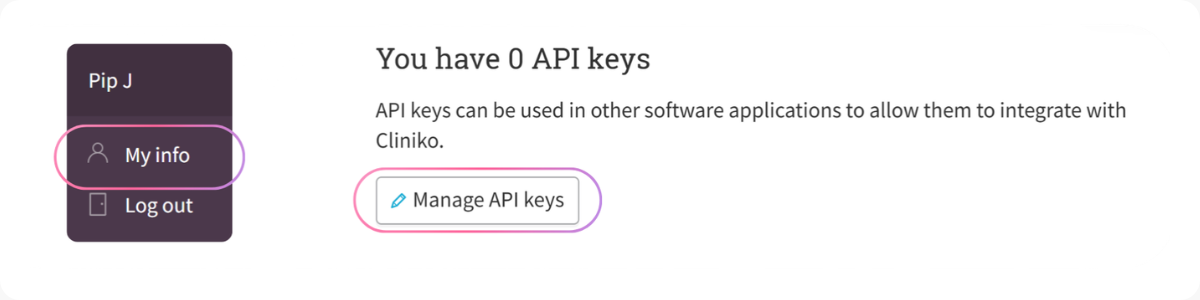
Click My Info.
Scroll down to the API Keys section.
Once there:
Click Manage API Keys.
Select Add an API Key.
Name the key (we recommend “Cetra Health”).
Click Create API Key.
Cliniko will generate a unique API key for the integration.
Step 2: connect Cliniko inside Cetra Health
Next, you’ll need to link your Cliniko account within Cetra Health.
Log in to your Cetra Health account.
Open Settings.
Scroll down to Integrations.
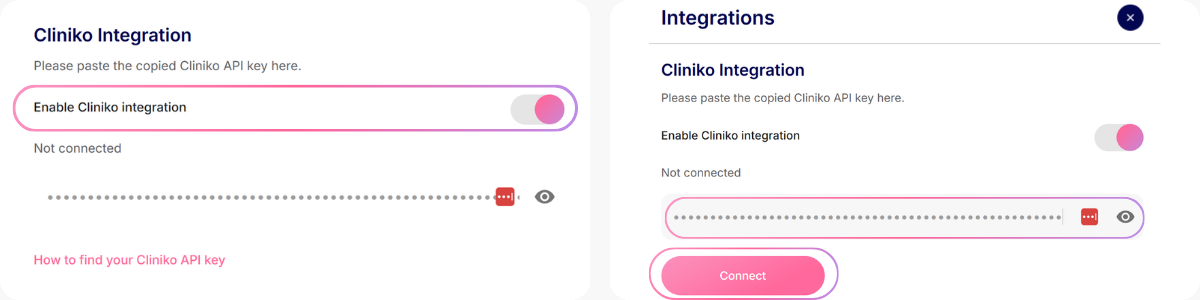
Click Enable Cliniko Integration.
Paste your API key into the field provided.
Click Connect.
Step 3: finalise the integration in Cliniko
To complete the connection:
Return to your Cliniko account.
Click Settings in the left menu.
Select Integrations under the Our Clinic section.
Scroll down to Connected patient apps.
Paste the following URL into the App URL field: https://login.cetrahealth.com/search
Click Save connected patient apps.
Your Cetra Health integration is now ready to use.
How to use Cetra Health within Cliniko
Once connected, Cetra Health will appear as an option within each patient record in Cliniko. From there, you can browse Cetra’s full library of patient education handouts, select the most relevant resource for your patient, and share it instantly via email, SMS, WhatsApp, a unique link, or even as a printed copy, all without leaving Cliniko.
Automatic patient education records
One of the biggest advantages of this integration is automatic documentation.
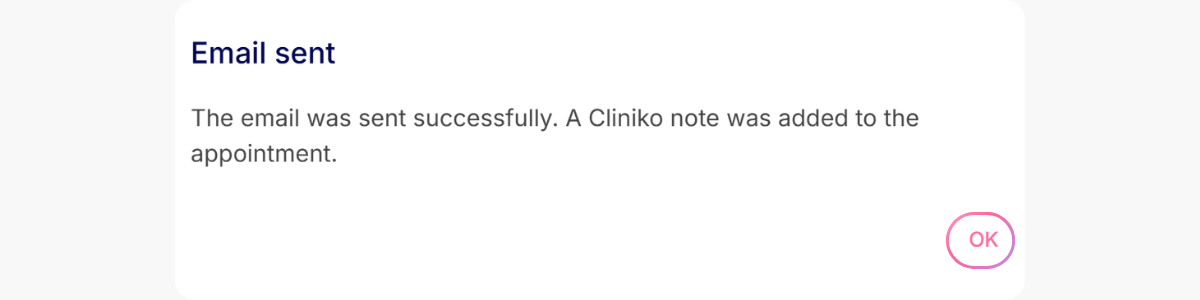
Whenever you send a handout to a patient via email using Cetra Health, the system will automatically log that handout within the patient’s Cliniko record.
This means you no longer need to manually record which patient education materials were shared.
The result:
✔ Less admin work
✔ More accurate patient records
✔ A clear audit trail of patient education
Why the Cliniko integration is helpful for returning patients
Patients often return to clinics weeks or months after their initial appointment. With this integration clinicians can quickly review the patient’s record and see exactly which handouts were previously shared.
This helps ensure that patients aren’t sent duplicate information and that important resources aren’t accidentally missed. It also helps maintain consistency in the advice provided across different practitioners.
This feature is particularly useful in multi-practitioner clinics, where patients may see different clinicians during their treatment journey. Instead of relying on patients to remember what information they received, the Cliniko record provides a clear and reliable history.
Benefits of the Cetra Health and Cliniko integration
The integration between Cetra Health and Cliniko offers several advantages for busy MSK practices.
Save Time in Clinic - Clinicians can access patient education instantly and eliminate the need for manual record keeping, streamlining their workflow and allowing more time to focus on patient care.
Improve Professionalism - The integration helps maintain clear and organised patient records, showing exactly what information has been shared with each patient.
Deliver Consistent Patient Education - Every patient receives accurate, evidence-based educational resources, ensuring consistency in the advice and guidance provided across your practice.
Start using the Cetra Health and Cliniko integration today
By integrating Cetra Health with Cliniko, you can streamline your workflow, improve documentation accuracy, and provide patients with clear, reliable education resources during every consultation.
If you already use Cliniko, you can connect your account today and start accessing Cetra directly within your patient records.
If you’re new to Cetra Health, you can sign up and explore the platform before activating the integration.